In this article
Key takeaways
- Three doors into the library: the Page name (one advertiser's ads), a keyword (every ad mentioning a product) and the country (everything running in a market).
- Page name, not website: searching a URL finds only the ads that mention it as text.
- A keyword matches the ad text as written, and the country means "delivered there", not "advertiser from there", so combine the routes to narrow the results.
- The library shows active ads only. Between 2026-10-25 and 2026-11-06 GccFY collected the newest 160,000 Arabic ads of Gulf stores from 24,775 Pages, and keeps them after they stop.
Route one: a specific Page's ads
You know the store or competitor's name and want everything it advertises right now:
- Open the library, choose the country (or "All" for the Page's ads everywhere) and "All ads".
- Type the Page name, not the website, and wait for the drop-down.
- Pick the Page from the suggestions: now you see its ads only, not every ad that mentions its name, with a rounded count above the results ("~24 results", for example).
- Open the About tab for Page transparency: creation date, name changes, and where its managers are.
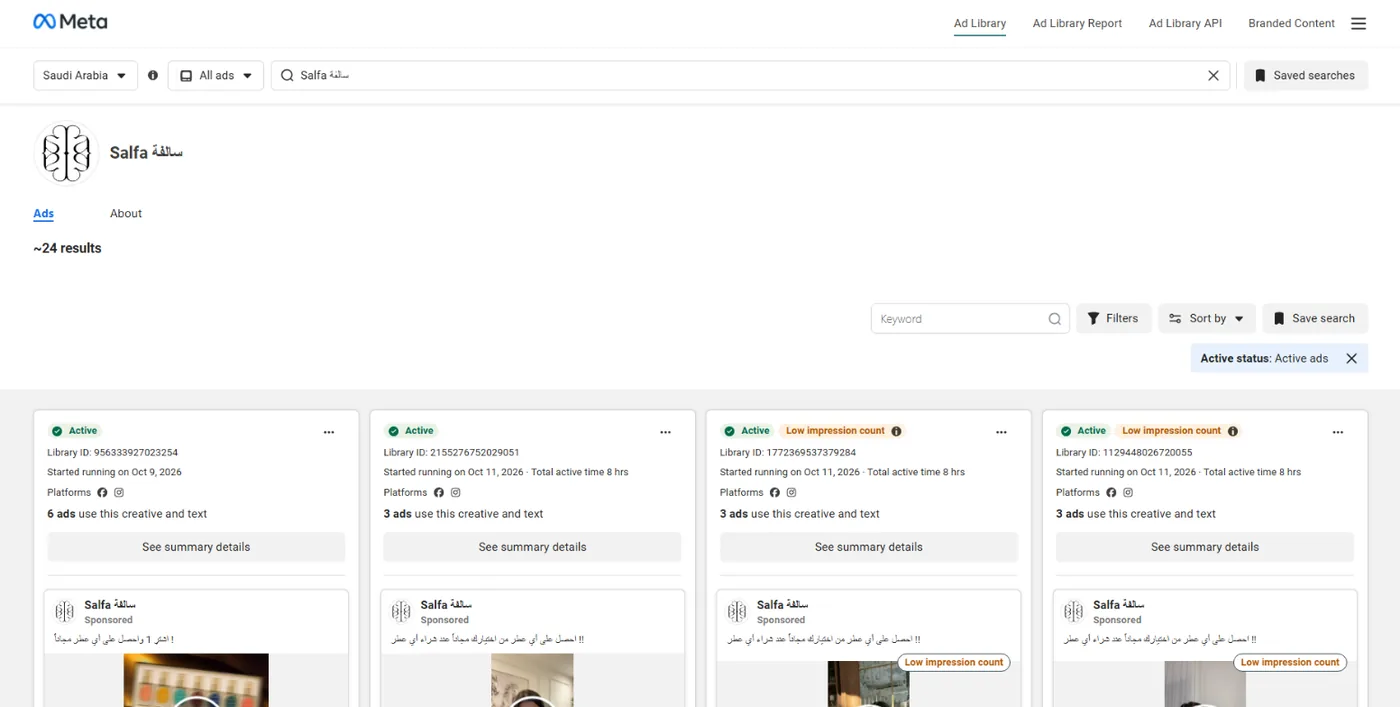
Can't find the Page? Try the name in Arabic and English, or search a word from its signature product and open one of its ads to learn the advertising Page's name. And remember that one store may advertise from more than one Page. The full guide to this route is All ads of a Facebook page; how to read the count is in Active ads count.
Route two: a product's ads by keyword
You do not know who sells it and want everyone advertising a product:
- Choose the country and "All ads".
- Type the product word («عطر» perfume, «عباية» abaya, «سماعات» headphones) and press search; do not pick a Page from the suggestions.
- The active ads whose text contains the word as you typed it appear, from any advertiser.
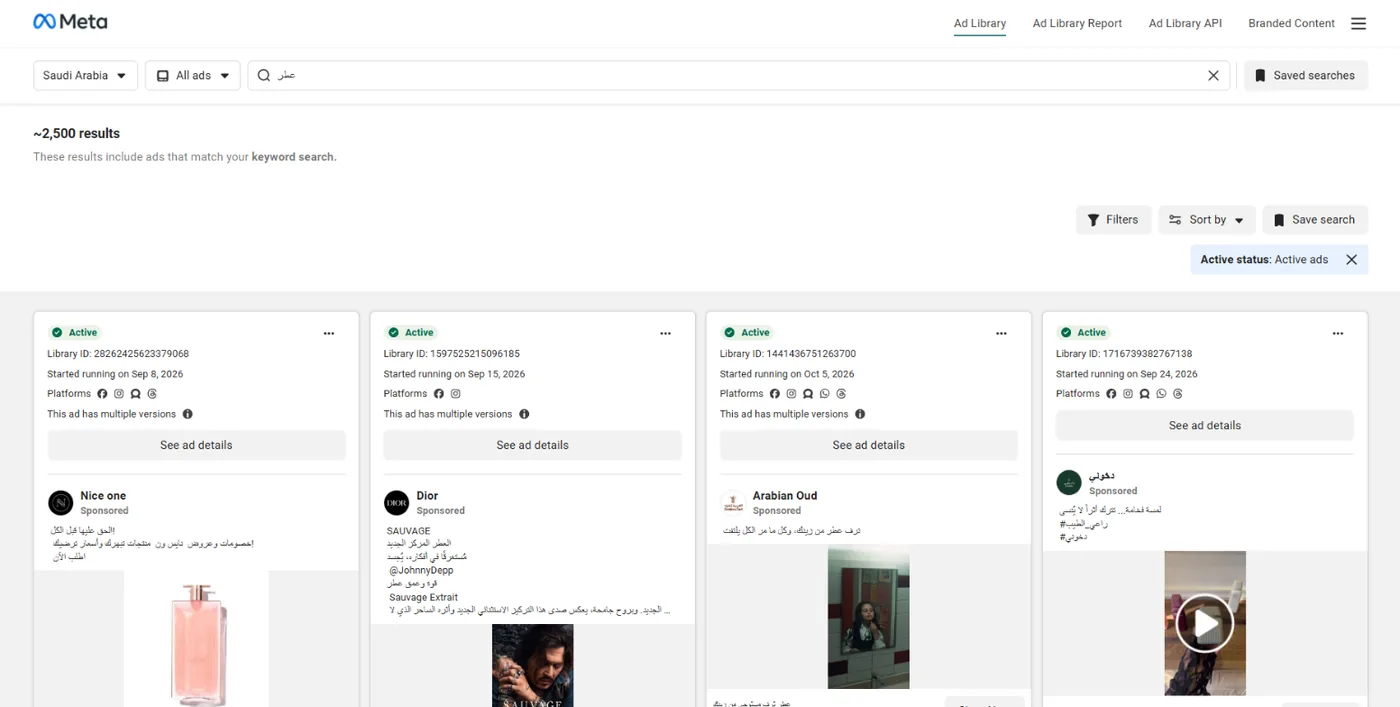
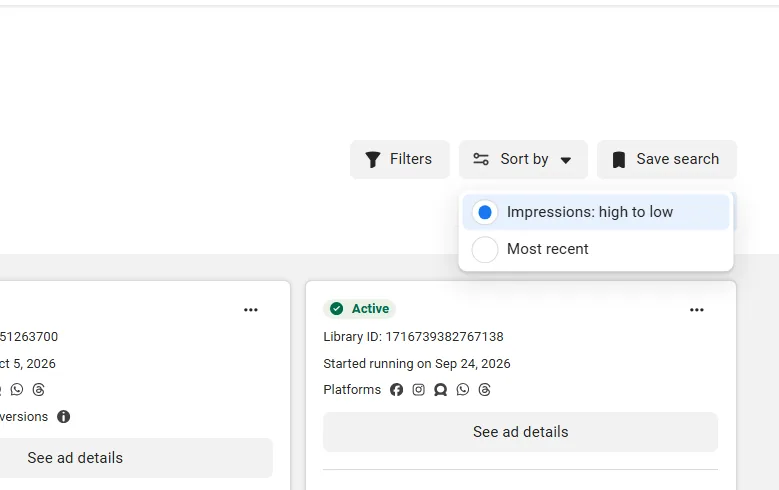
Search matches the text as written: «عباية» and «عبايه» are two different results, singular differs from plural, and a phrase in quotation marks finds only the ads that contain it in full. Then narrow with the filters: media type "Video", platform "Instagram", impressions by date, and sort by "Most recent" to see what started this week. The keyword and spelling rules are in Ad Library keyword search.
Route three: a country's ads
You want to see what runs in a whole market, Kuwait for example:
- Pick the country from the drop-down at the top of the page: Kuwait.
- Type a broad word that appears in that market's ads, such as the country's own name («الكويت») or its currency, because the library needs a word or a Page to show results.
- Add the platform or media type filter to narrow thousands of results.
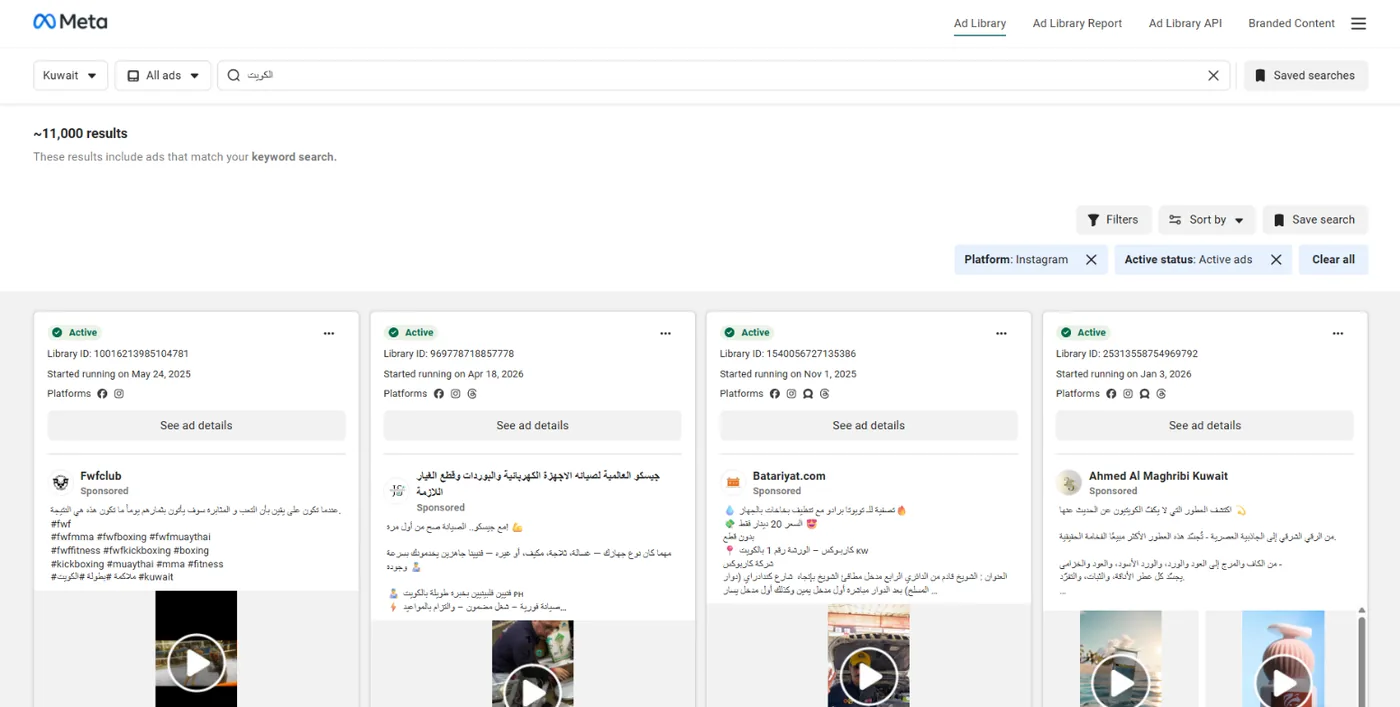
Mind what the country means: "Kuwait" means the ad was delivered there, not that the advertiser is Kuwaiti, so the results include ads in other languages and for other markets, and in the UAE in particular many English ads:
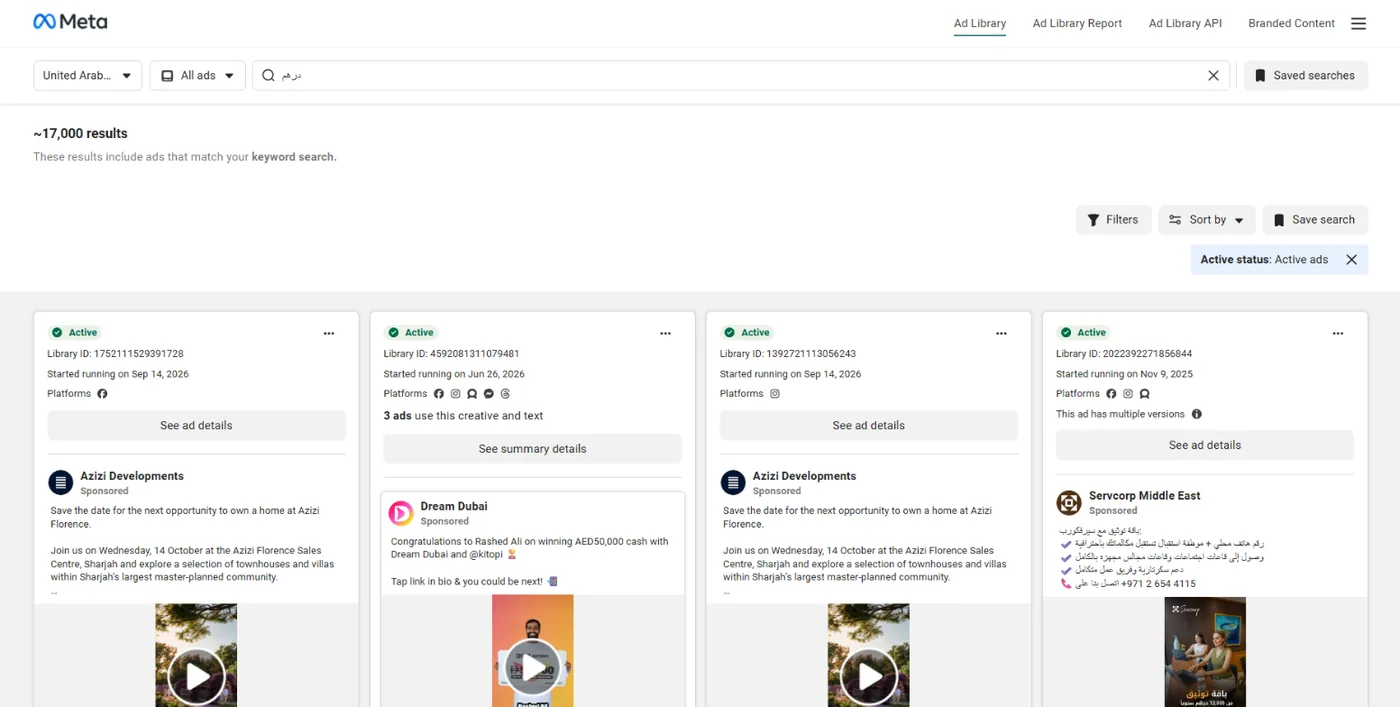
That is why this route works best combined with the second one: country + product word + video filter.
You found the ad: what to read on it
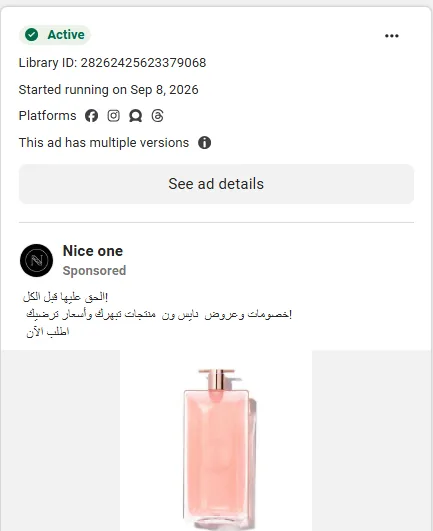
- "Started running on…": the most important line. An ad running for weeks is paid for by an advertiser who sees results.
- "This ad has multiple versions": the advertiser is testing copy or images for the same offer.
- "Low impression count": an ad that reached few people; it has proven nothing yet.
- Platforms, button and link: where it runs, and whether it leads to a store ("Shop now") or to a chat ("Send WhatsApp message").
- About the advertiser: in the ad details, the Facebook and Instagram accounts and their followers.
What you will not find however you search: a commercial ad after it stops (outside the EU), its budget and sales, a sort by running time, the ads count of a specific website, and the store platform behind the ad.
Route four, for Gulf stores: GccFY
If what you are after is the ads of stores selling in Saudi Arabia and the Gulf, the three routes meet on one screen in GccFY: the country, a word inside the ad text and the advertiser's name, plus what Meta's library does not give: the store platform (Salla, Zid, Shopify, YouCan, WhatsApp…), the call-to-action button, sorting by "longest running", and the saved store page behind every ad.
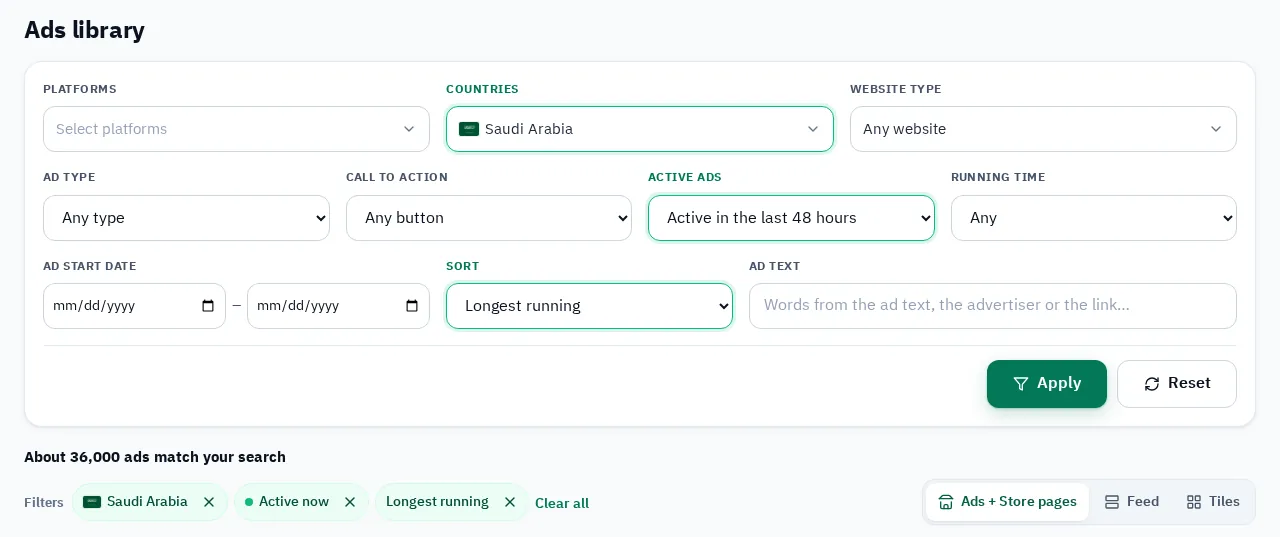
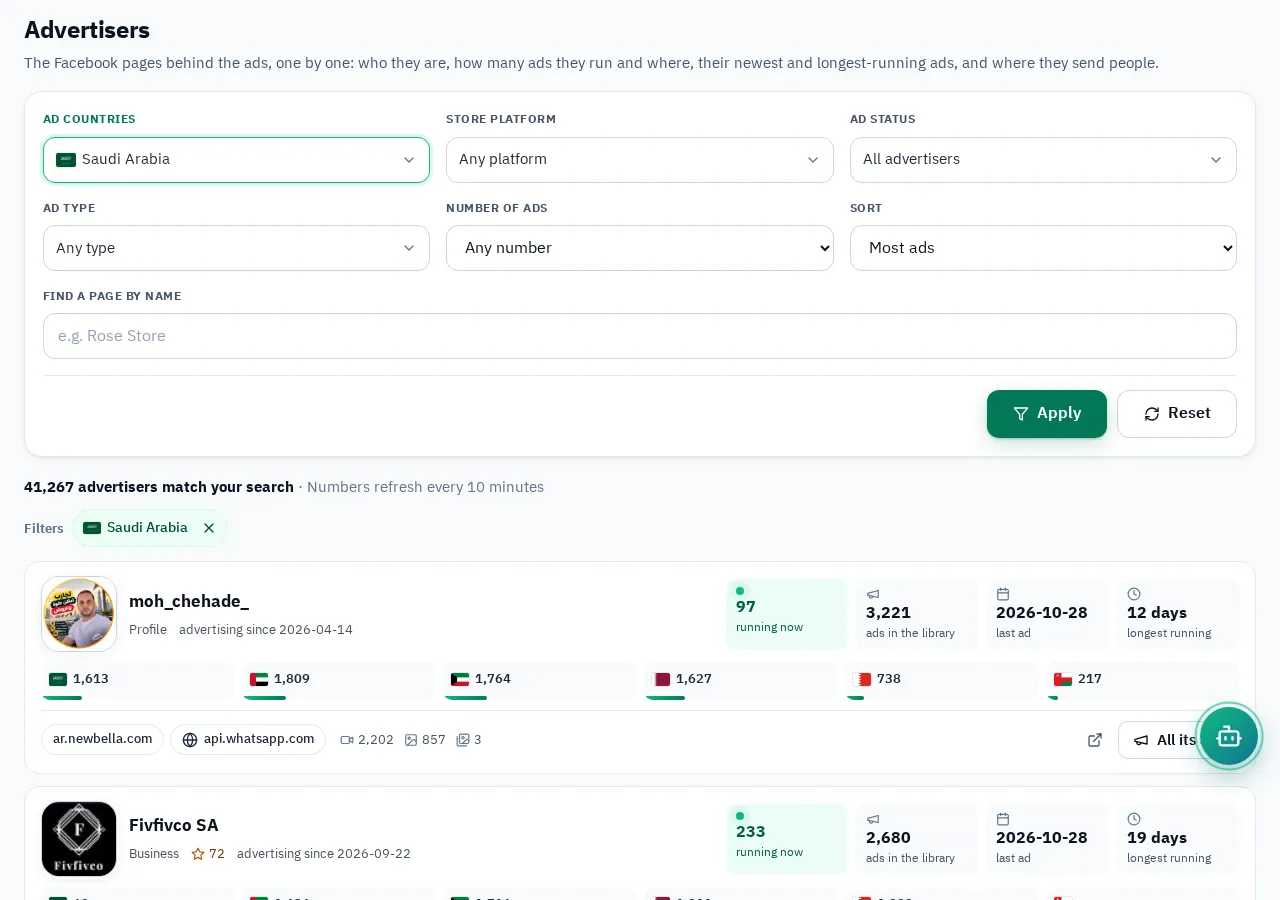
Between 2026-10-25 and 2026-11-06 the newest 160,000 Arabic ads came in from 24,775 advertiser Pages: 35% of them were shown in Saudi Arabia, 26% in the UAE and 18% in Kuwait. Instead of searching Page by Page, the Advertisers screen lists every advertiser with its total ads and what runs now, and the Domains screen every store with its ads per country, which no official library gives:
And from the ad you reach the store itself: a snapshot of the landing page with price, offer, payment method and pixels. How to research any online store from its public information: Spy on any online store.
A five-minute recipe
- Start with the keyword in your country, sorted by "Most recent": what is new in your category this week?
- Open the Page of every advertiser that catches your eye: how many ads does it run, and since when is the oldest?
- Switch the country to "All" for the same Page: does it sell in other countries?
- Save what matters before it disappears, and record the offer, price and format in one sheet per competitor.