In this article
- A quick map: platform, door, and what you see
- Facebook and Instagram: the Meta Ad Library
- Google and YouTube: the Ads Transparency Center
- TikTok: the official library and Creative Center
- Snapchat: no library, but there are clues
- For Gulf stores: the ad, the landing page, the pixel and the country in one screen
Key takeaways
- Facebook and Instagram: every active ad is in the Meta Ad Library; search the competitor's Page name with the country selected.
- Google and YouTube: the Google Ads Transparency Center; search the advertiser's name or website, with region and platform filters.
- TikTok: the official library covers Europe only; for the Gulf use Top Ads in Creative Center, a curated selection. Snapchat: no commercial library for the Gulf; the clues are the store's pixel and the reused video.
- For Gulf stores, GccFY collects Arabic Meta ads with the landing page, the pixels and the countries each ad runs in, and keeps them after they stop.
A quick map: platform, door, and what you see
Before the details, here is what each official door shows for commercial ads in the Gulf:
| Platform | Where to look | What to search | What you see |
|---|---|---|---|
| Facebook and Instagram | Meta Ad Library | A Page name or a keyword, with a country | Every active ad, with start date, button and link |
| Google and YouTube | Google Ads Transparency Center | Advertiser name or website, with a region | Search, YouTube and Display ads with their copy and creatives |
| TikTok | Top Ads in Creative Center | Region, industry, objective | A selection of top-performing ads, not every ad |
| Snapchat | No commercial library for the Gulf | The store's pixel and its public account | Whether they advertise there, not the ads themselves |
The rule throughout: public information only, and no copying of images, videos or copy. "Spying" here means competitive research, as in Competitor ads.
Facebook and Instagram: the Meta Ad Library
The most complete route, and the one that matters most for stores. Open the Meta Ad Library, choose the country (Saudi Arabia, the UAE, Kuwait…) and "All ads", type the competitor's Page name and pick the Page from the suggestions. All of its active ads appear together, each with its start date, the number of versions, the button and the link it leads to.
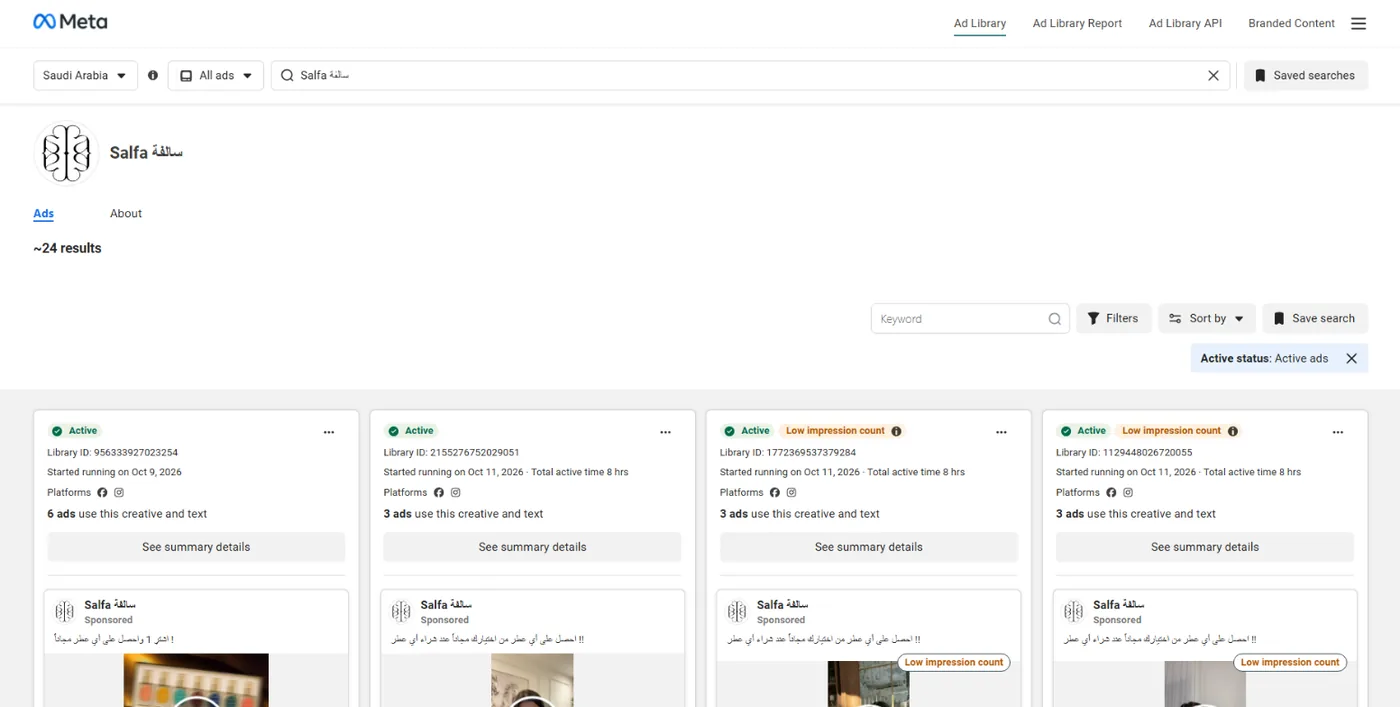
- Instagram ads: there is no separate Instagram library; its ads sit in the same library, and the platform filter "Instagram" narrows to them.
- From the competitor's own Page: the "Page transparency" section links to its ads and shows when the Page was created and how its name changed.
- What you do not see: stopped ads vanish, there is no budget, targeting or sales, and no sort by running time.
The full guide with screenshots: Facebook Ad Library.
Google and YouTube: the Ads Transparency Center
If a competitor advertises on Google Search or YouTube, their ads are in the Google Ads Transparency Center at adstransparency.google.com, free and with no ad account. Pick the region with the button next to the search box ("Ads in Saudi Arabia"), type the advertiser's name or website, and pick the advertiser from the list.
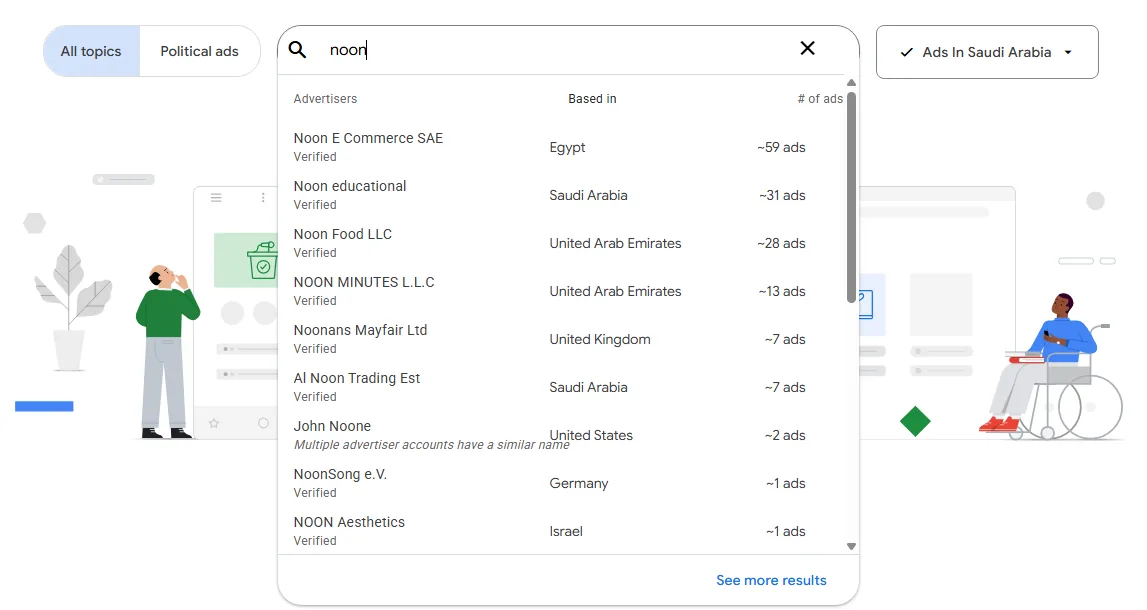
The advertiser's page shows their legal name, the country they are based in and whether they verified their identity, then their ads with filters for time, platform (Search, YouTube, Shopping, Maps…) and format (text, image or video). What you do not see: keywords, bids and budgets, and you cannot search by product. Details in Google Ads Transparency Center.
TikTok: the official library and Creative Center
TikTok's official library (the Commercial Content Library) covers ads in Europe, Switzerland and the UK only, so you will not find Saudi Arabia or the UAE there. The Gulf door is Top Ads in TikTok Creative Center: choose the region (Saudi Arabia, for example), the industry and the objective, sort by reach or CTR, and log in to see everything.
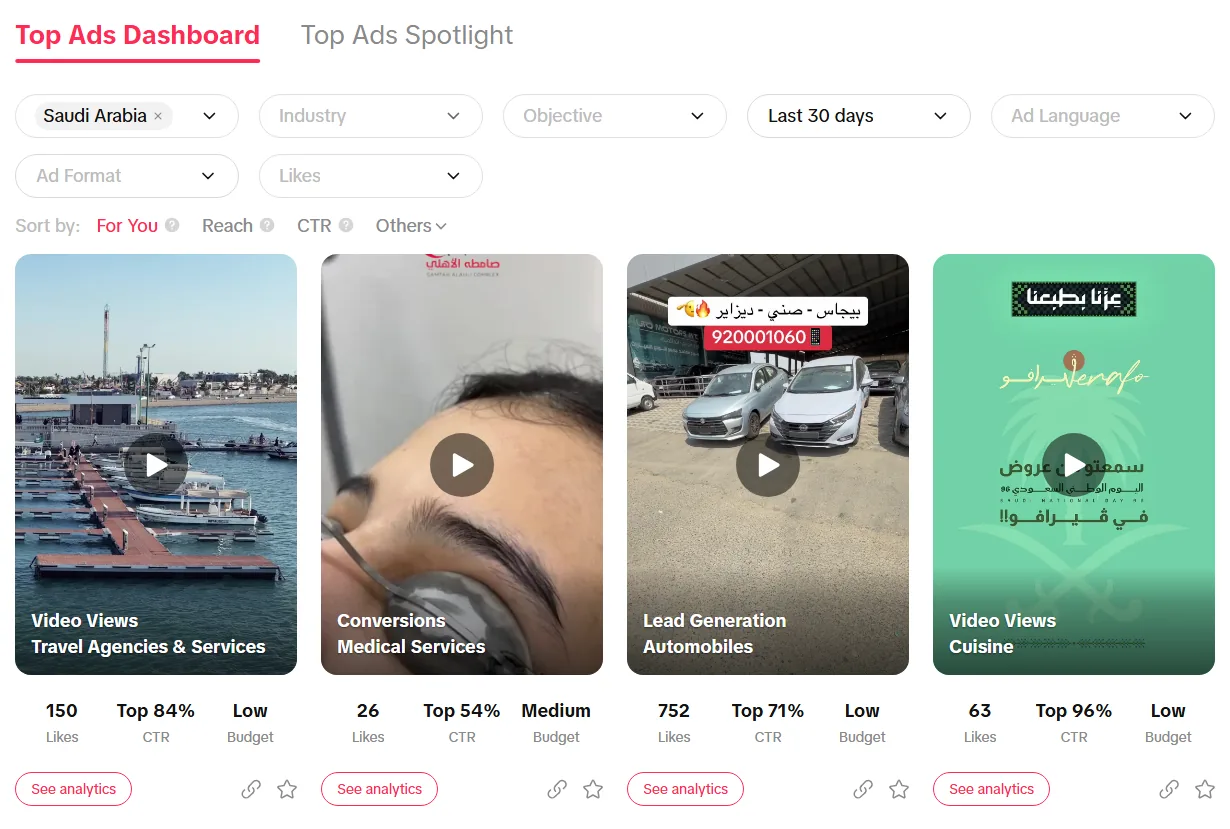
But it is TikTok's selection, not every ad, and your specific competitor may not be there. To follow one advertiser: look for their videos in the Meta Ad Library (many post the same video on Instagram), follow their TikTok account, and check their store's pixel: in our study, 62% of Gulf store pages carry the TikTok pixel. The guide: TikTok ads library.
Snapchat: no library, but there are clues
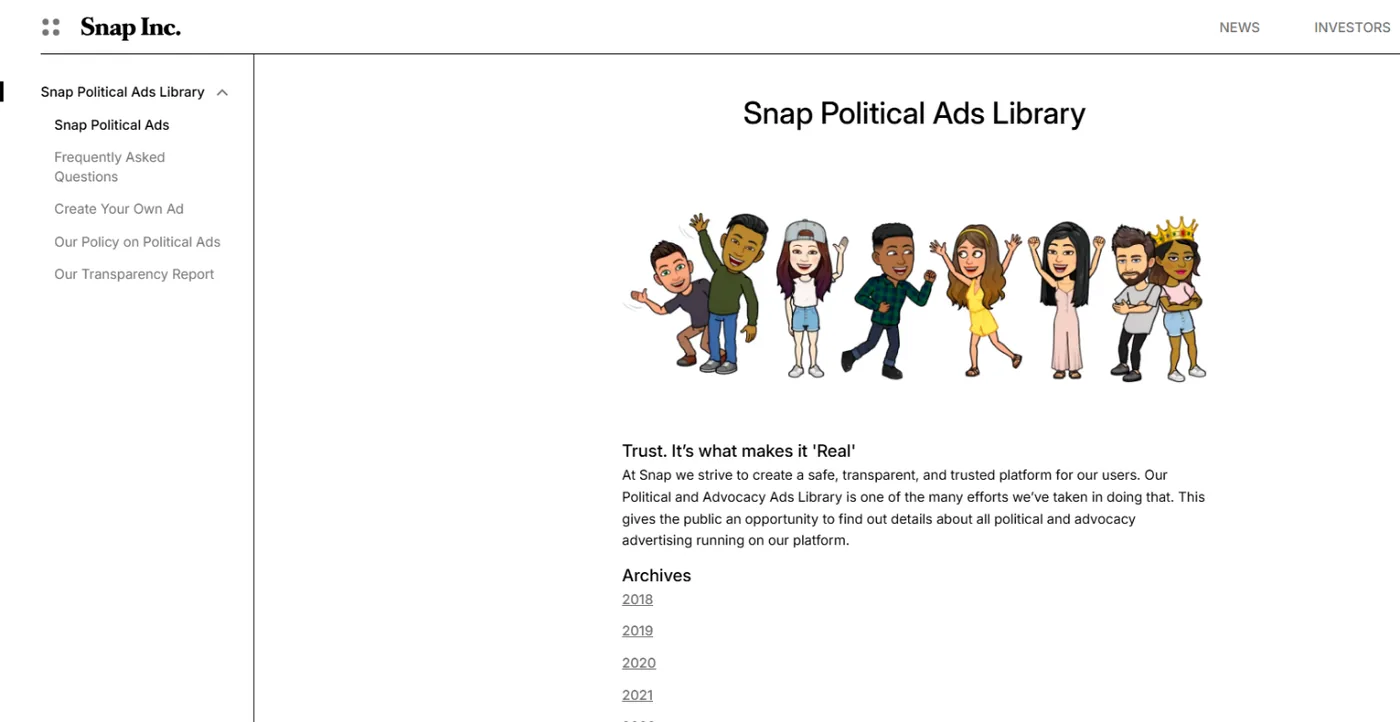
Snapchat matters a lot in Saudi Arabia, yet there is no official library of its commercial ads in the Gulf: its public library covers political ads, and its commercial gallery covers the European Union only. What you can do:
- Check the store's pixel: with the Snap Pixel Helper extension in Chrome, or in the store page window in GccFY. The Snapchat pixel is on 54% of Gulf store pages, and it is a strong sign the store advertises there.
- Look for the same video in the Meta Ad Library: the vertical video usually goes to Snapchat, Reels and TikTok together.
- Follow their public Snapchat account: stories reveal offers and seasons.
Details in Snapchat ads.
For Gulf stores: the ad, the landing page, the pixel and the country in one screen
Official libraries are transparency tools: they show the ad and stop there. For Gulf stores we built GccFY on Arabic Meta ads to bring together what competitive research needs:
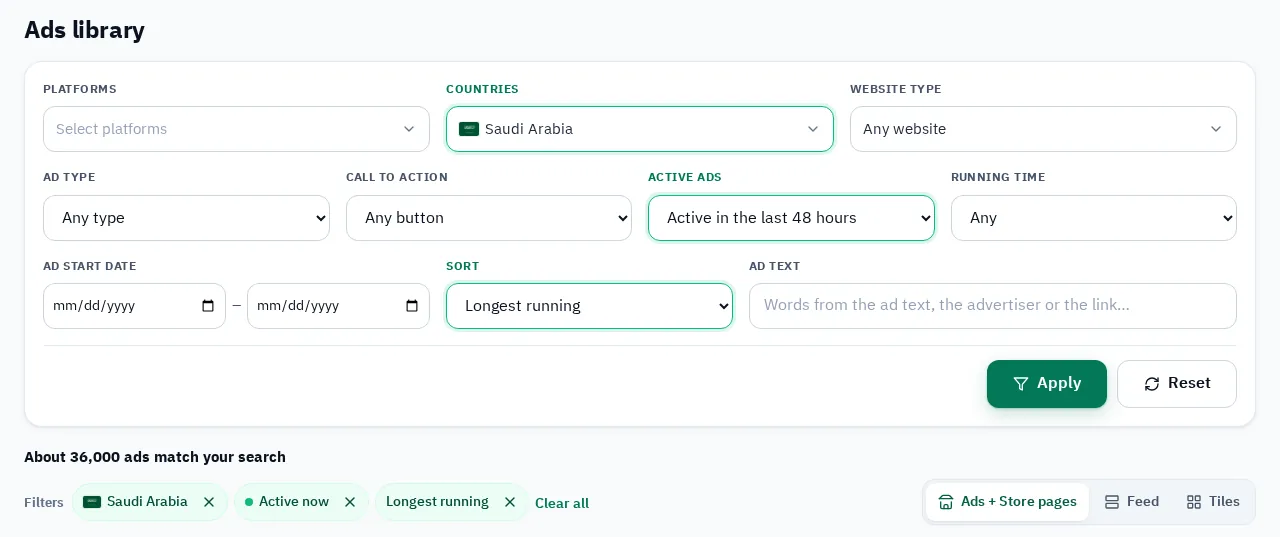
- The ads: 1,290,000+ Arabic ads, searchable by keyword or Page name, with filters for country, store platform, format and button, a sort by longest running, and the ads stay after they stop.
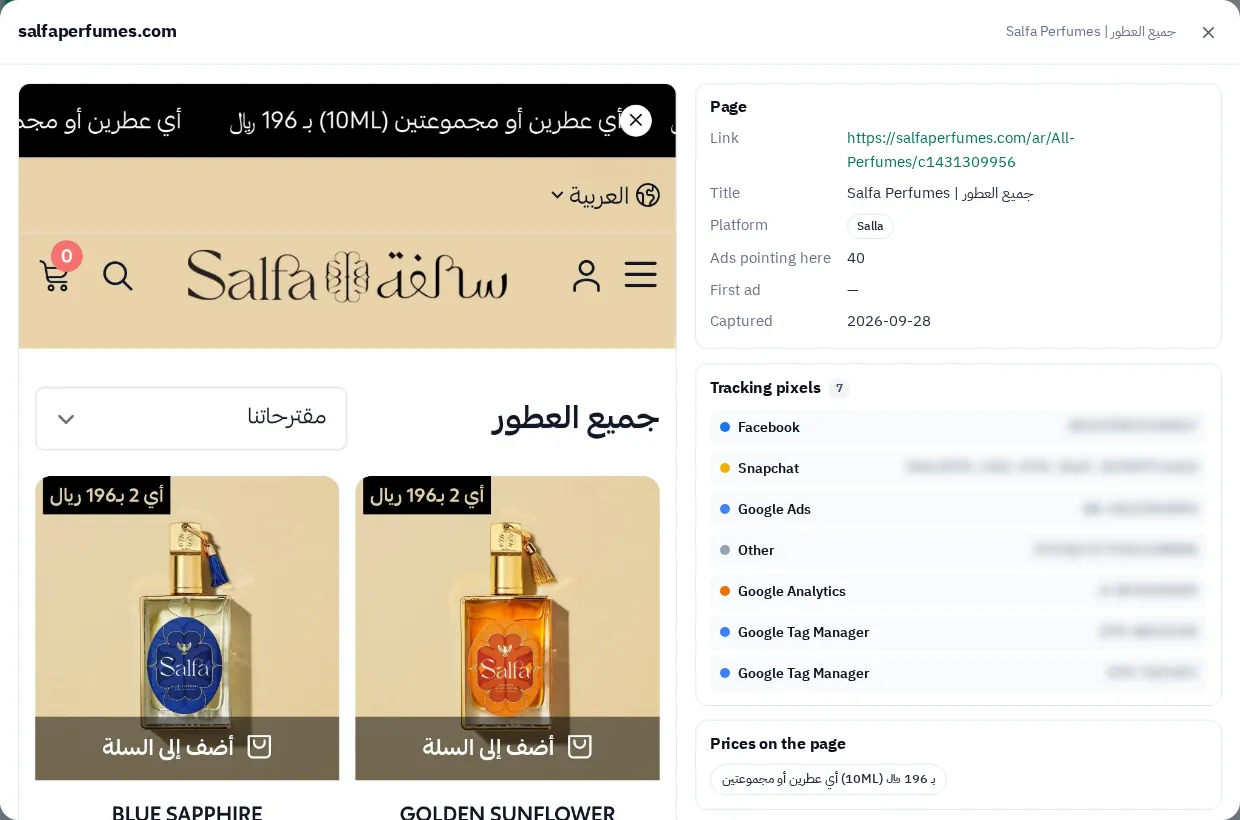
- The landing page: a snapshot of the store page behind every ad: price, offer and payment method as the buyer saw them.
- The pixels: the store page window shows the Meta, Snapchat, TikTok and Google pixels it carries, which usually means the platforms the competitor advertises on.
- The countries: every ad carries the countries it runs in, and every store domain shows its ads per country on the Domains screen.
So if your competitor is a Gulf store advertising in Arabic, start here, then complete the picture with Google's Transparency Center for its Search and YouTube ads. To examine the store itself (platform, products, pixels), read Spy on any online store.