In this article
- What is the Facebook Ad Library?
- How to search the Ad Library, step by step
- Searching Arabic ads: what changes
- How to read an ad you find
- How to spot a winning ad in the library
- Five ways sellers use the Ad Library
- The limits you should know
- Ad Library vs Page Transparency vs Ads Manager
- When you need a dedicated tool: GccFY for Gulf ads
Key takeaways
- The Meta Ad Library is free and open to anyone, and shows every ad that is active right now on Facebook, Instagram, Messenger and Meta's other apps.
- The most useful facts on any ad: the date it started running, the number of versions, and the button and link it leads to.
- Outside the EU, commercial ads disappear from the library once they stop, and the library shows neither their budget nor their sales.
- In our study of Arabic ads that stopped, 60% ran 3 days or less and only 8% lasted 30 days or more. Running time is the strongest signal of a winning ad.
What is the Facebook Ad Library?
The Meta Ad Library (formerly the Facebook Ad Library) is a public, searchable database that Meta launched for ad transparency. It contains every ad currently running on Facebook, Instagram, Messenger, the Audience Network and Meta's other apps, and anyone can browse it for free at facebook.com/ads/library.
For a store owner or a marketer it is the fastest way to see what competitors are running right now: the copy, the image or video, the call-to-action button, the link behind it and the date the ad started. Advertisers are not notified when you look at their ads.
What the library keeps depends on the kind of ad:
- Commercial ads (products, stores, services): visible only while they are active, then gone once the advertiser stops them. This is the case for ads in the Gulf.
- Ads about social issues, elections or politics: kept for seven years, with spend ranges, reach and who paid for them.
- Ads delivered in the European Union: kept for one year after their last impression, with extra reach and audience data.
How to search the Ad Library, step by step
- Open the library at facebook.com/ads/library on desktop or mobile. You do not need an ad account.
- Choose a country, such as Saudi Arabia or the United Arab Emirates, or "All". The library shows ads that were delivered in that country.
- Choose the ad category: "All ads" for commercial ads. "Issues, elections or politics" is a separate archive.
- Type a keyword or a Page name: a product such as "perfume", or a competitor's store. When you type a Page name, the library suggests matching Pages; pick one to see all of its ads.
- Narrow the results with filters: language, advertiser, platform (Facebook, Instagram…), media type (images or videos), active status and impression date range.
- Open the ad details to see its library ID, its versions and every platform it runs on.
Tip: start with a competitor's Page, not a keyword. One Page shows every offer it is testing right now, which is far clearer than hundreds of mixed results.
Searching Arabic ads: what changes
If you sell in Saudi Arabia, the UAE or Kuwait, most ads that matter to you are written in Arabic, and keyword search matches the text exactly as it was written. Arabic is spelled in several ways, so try the variants:
- Hamza and alif: «اكسسوارات» and «إكسسوارات» (accessories) are both common.
- Ta marbuta and ha: «عباية» and «عبايه» (abaya) both appear in ads.
- Singular and plural: «عطر» (perfume) and «عطور» (perfumes) return different ads.
- Mixed languages: many Gulf ads write «توصيل مجاني» and "Free delivery" side by side, or the product name in English.
To match an exact phrase, put it in quotation marks, for example "الدفع عند الاستلام" (cash on delivery). Filtering by language helps too, but the language filter follows Meta's detection, which is not always right for mixed Arabic and English copy.
How to read an ad you find
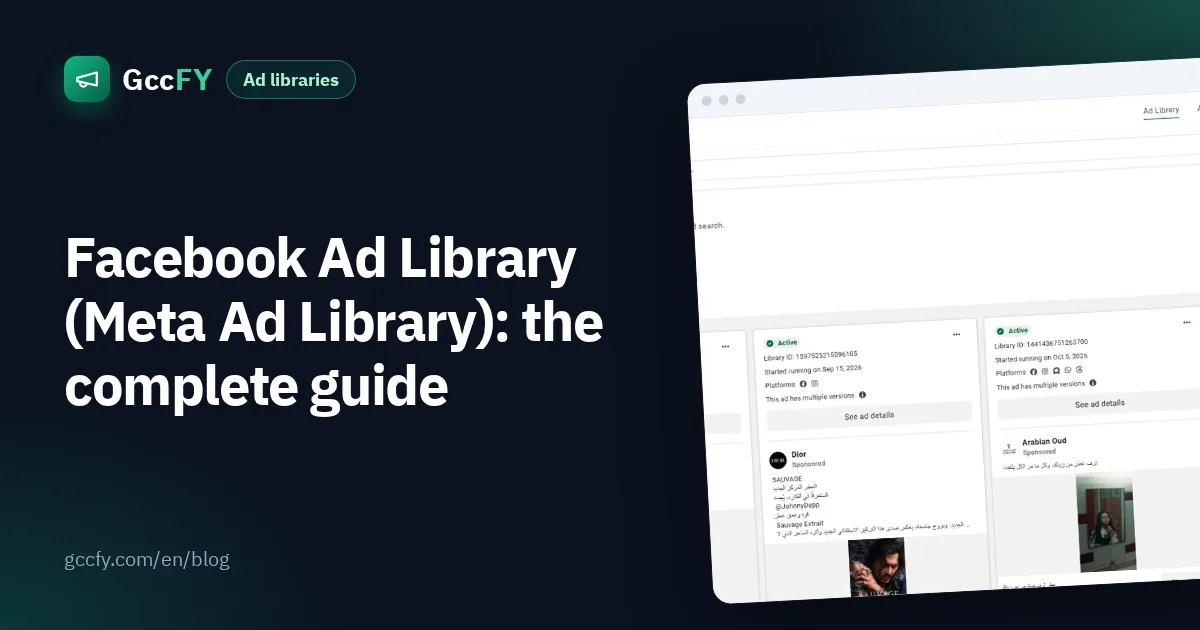
Each card in the library carries information that matters more than the design:
- "Started running on…": the start date. The longer an ad keeps running, the more likely it is profitable: advertisers do not keep paying for losing ads.
- Multiple versions: "This ad has multiple versions" means the advertiser is testing different copy or images for the same offer.
- Ads using the same creative: when several ads share the same image and text, the advertiser is scaling a winner to new audiences or countries.
- Platforms: the icons tell you where it runs: Facebook, Instagram, Messenger and more.
- Button and link: "Shop now" to a store, or "Send WhatsApp message" to a chat. Open the link to see the product page, price, offer and payment options.
How to spot a winning ad in the library
The library never tells you which ad is profitable, but the advertiser's behaviour does. The strongest signal is running time, because most ads stop quickly:
In our sample of Arabic ads that stopped, half ran for two days or less and 74% did not last a week. An ad that passes 30 days is rare (only 8%), which is exactly why it deserves your attention. Other signals that confirm it:
- Active for weeks without being replaced.
- Many versions of the same offer: the advertiser is scaling what works.
- Several advertisers selling the same product: demand is real (and so is competition).
- Seasonal comebacks: a product whose ads return before Ramadan or Eid every year.
We cover this method in detail in Ad running time.
Five ways sellers use the Ad Library
- Competitor tracking: which offers are they testing now, and what did they drop? (See Competitor ads.)
- Product research: search a category keyword in your country and watch the products several stores have advertised for weeks.
- Creative ideas: how videos open, the angle, how the offer is phrased. Take the idea, never the material itself.
- Price and offer benchmarks: open the landing pages and compare price, delivery and guarantees.
- Seasonal planning: search before Ramadan, national days and White Friday to see when competitors start.
The limits you should know
The library is a transparency tool, not a market research tool, so its limits are clear:
| What the library shows | What it does not show |
|---|---|
| Every ad active now, with copy, images and videos | Commercial ads after they stop (outside the EU) |
| Start date and platforms | Sorting by running time |
| Search by keyword, Page and country | A filter for the store platform (Salla, Zid, Shopify) or for WhatsApp ads |
| Spend and reach for political ads | Budget or sales of commercial ads |
| The link the ad leads to | A saved copy of the landing page |
Country results are mixed, too: "Saudi Arabia" means the ad was delivered there, so you will also see ads in other languages and for other markets.
Ad Library vs Page Transparency vs Ads Manager
Three Meta tools that people often confuse:
| Tool | What it shows | Use it to |
|---|---|---|
| Ad Library | Any Page's ads that are active now | Research competitors and the market |
| Page Transparency | When the Page was created, its name changes, where the people who manage it are located, and a link to its ads | Check how old and serious a competitor is |
| Ads Manager | Your own ads, results and spend | Run and measure your campaigns |
When you need a dedicated tool: GccFY for Gulf ads
If you sell in the Gulf, the library's limits cost you hours of manual searching every week. That is why we built GccFY: an Arabic ads library built on the same public data, which collects the ads of stores selling in the six Gulf countries and keeps them after they stop. The library holds 780,000+ ads from 69,000+ advertisers today.
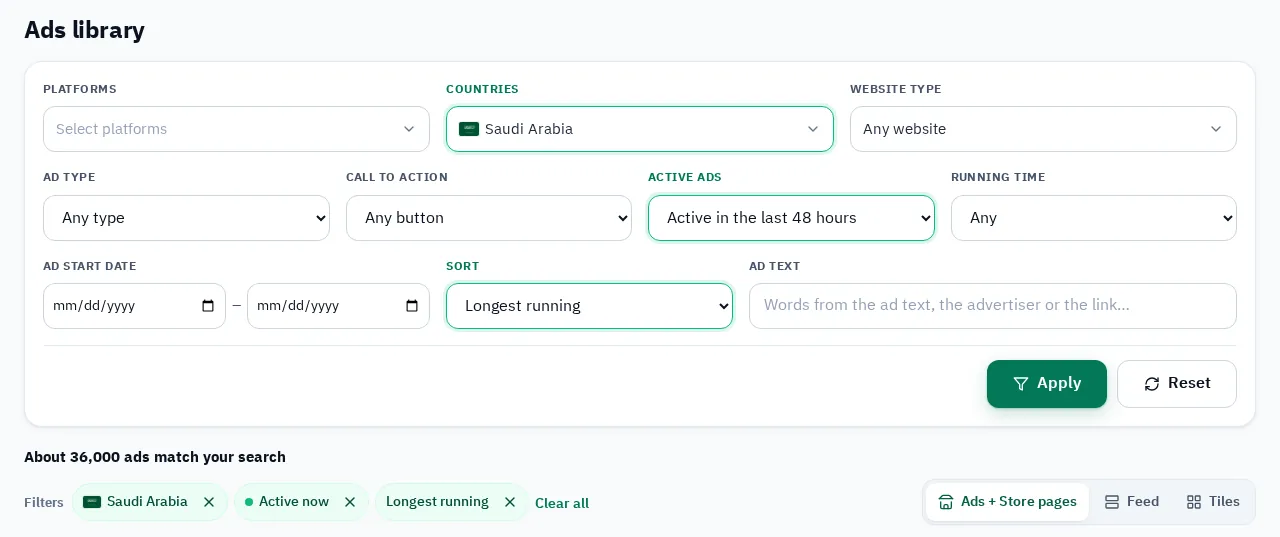
- Sort by "longest running" to see the ads that survived first.
- Store platform filter: Salla, Zid, Shopify, YouCan, WhatsApp and more.
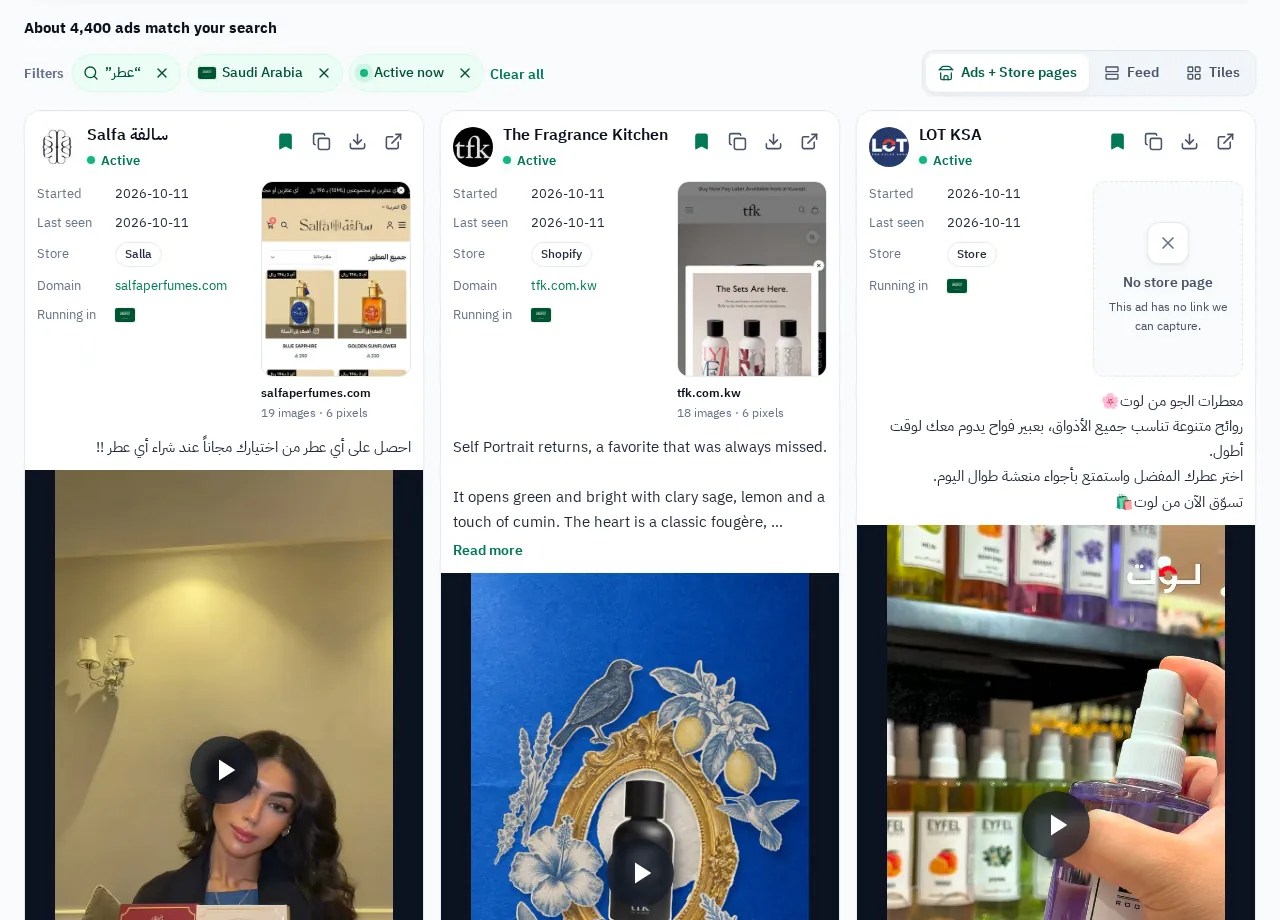
- The store page behind every ad: a saved snapshot of the landing page, with price and offer.
- Every ad of an advertiser in one place, including the ones that stopped.
GccFY is not affiliated with Meta. We collect ads that Meta publishes openly in its library and organise them for the Gulf markets.