In this article
Key takeaways
- The helper invents no numbers: every answer comes from real searches in the library, and the results show under the answer as cards linked into the library.
- Two modes: "fast" for a question or two, "advanced" for a full report on a product or a market (totals, countries, formats, advertisers, stores).
- It understands OR, AND and NOT: perfume or incense, abaya without men's, and compares two products in one message.
- Connect Claude, Cursor or any MCP app with a key from your account page, and it searches the library from inside your own tool.
Why an AI helper on top of an ad library?
Ad libraries, official or paid, all work the same way: a word and filters. That is fine when you know what you are looking for. But most store owners start from a question: what sells now? who spends most in my category? video or image? how many new ads this week?
We watched what GccFY's visitors type into the search: long phrases and full questions, in Arabic and in English, sometimes English words for Arabic products. A long phrase finds nothing, and the visitor leaves. The helper was born from that observation: it takes the question as written, translates it into the library's own searches with the right Arabic word and filters, then explains what it found.
Most important: it does not answer from memory. Every number in its answer came from a real search at the moment you asked, across 1,240,000+ Arabic ads, and the cards under the answer are the ads themselves, with links that open them in the library with the same filters.
What to ask it: real examples
- Trending: "what is trending in cosmetics in Saudi Arabia?" — searches the Arabic word for cosmetics sorted by longest running, and shows the ads that lasted for weeks.
- Who spends: "who are the most active advertisers in the UAE right now?" — the advertisers ranked by what runs now.
- Comparison: "compare abaya and dress ads in Qatar" — a count per word and a chart.
- Platform: "Salla stores that advertise the most in Kuwait" — the domains ranked by ads.
- Format and time: "how many new video ads in the last 24 hours?"
- OR and NOT: "perfume or incense, without men's, in Saudi Arabia" — a search per word, merged, dropping the ads that mention men's.
And when the request is unclear ("compare for me") it asks one question with ready options instead of guessing.
Fast or advanced?
Under the box sit two buttons:
- Fast: a light model, a search or two, an answer in seconds. For the everyday questions.
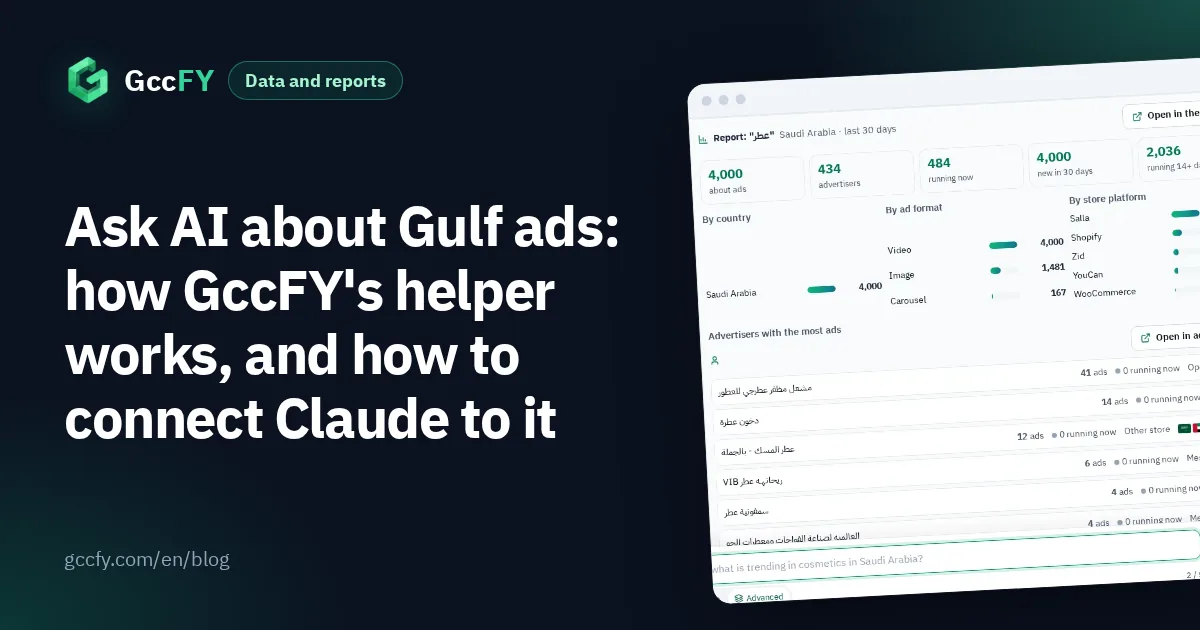
- Advanced: a stronger model, several search rounds, a longer memory of the conversation, and the full report. Ask "make me a report on perfume ads in Saudi Arabia" and in one request it runs dozens of small searches: the total, running now, new in the period, ads that lasted over two weeks, the split by country, format and store platform, the top and the most active advertisers, the top stores, and the newest and longest-running ads.
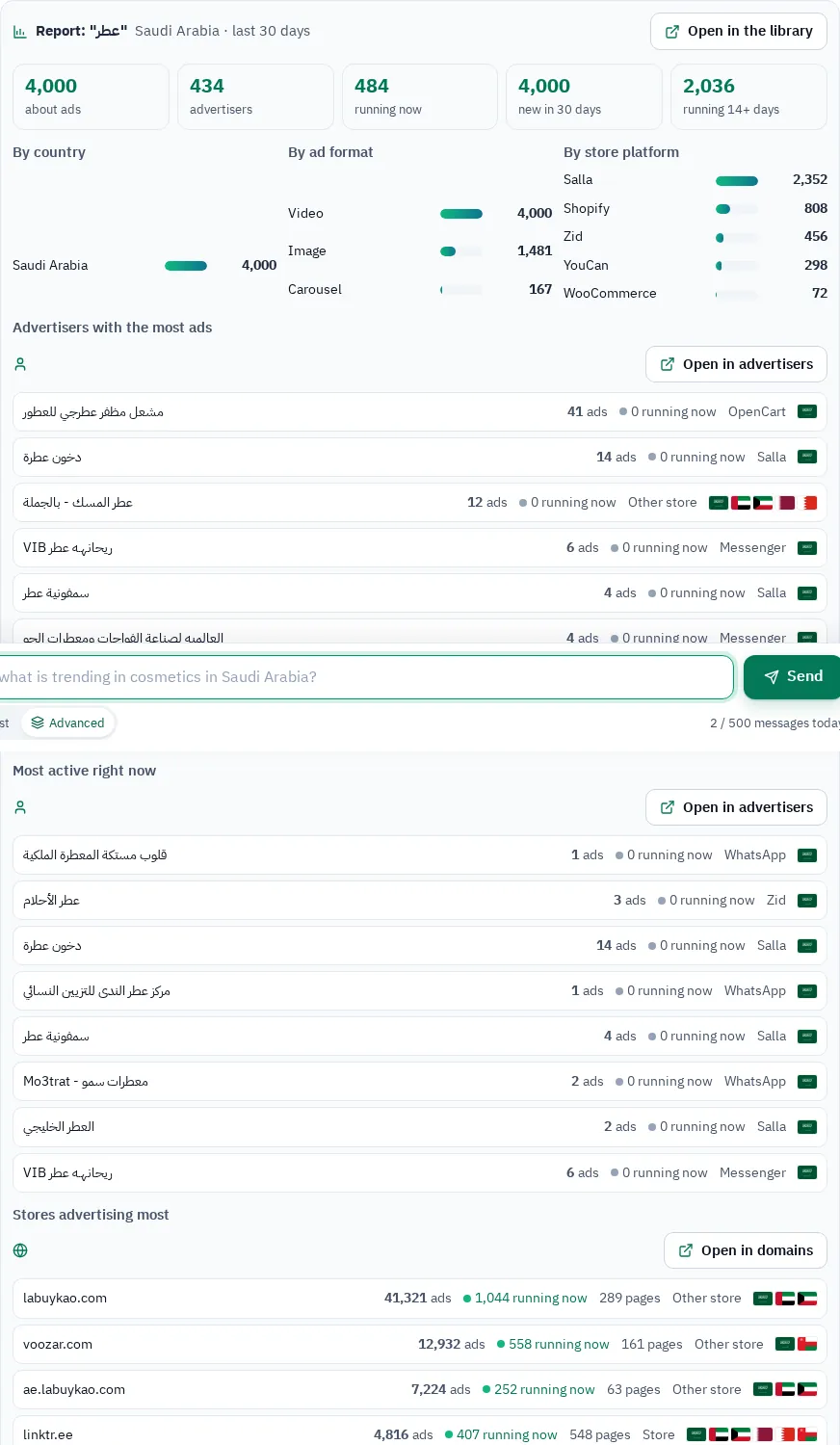
The page draws the report with numbers, bars and cards, and every part carries an "open in the library" button with the same filters. Above it the helper writes the reading: what the numbers say, who leads, which formats and offers win, and three next steps.
Connect Claude or Cursor to the library (MCP)
You have your own assistant and want it to search Gulf ads? GccFY also runs as an MCP server, the protocol AI apps use to reach external tools. The same tools our helper uses become available to yours: search, count, compare, report, top advertisers, top domains, and the library's numbers.
- On GccFY's Account page, make a key under "AI apps". It is shown once; copy it.
- In Claude Code:
claude mcp add --transport http gccfy https://gccfy.com/api/mcp --header "Authorization: Bearer YOUR_KEY" - In Cursor or any other MCP client: add an HTTP server at
https://gccfy.com/api/mcpwith the same authorization header. - Ask your tool: "search GccFY for perfume ads in Saudi Arabia" — it calls the tool and returns the results.
Every call from your tool counts as one of the helper messages of your plan. Connecting ChatGPT needs OAuth, which we are working on; until then Claude, Cursor and any client that takes a key work.
For raw programmatic access, and what Meta's official library API gives and does not, read Meta Ad Library API.
What the helper does not do
- It does not guess numbers. When it finds nothing it says so and suggests a closer word.
- An Arabic word searches better than a sentence: it translates English and shortens sentences, and may ask you to be sure.
- OR adds the counts (an ad with both words counts twice), and NOT filters the ads it found rather than the whole library — and it says so in its answer.
- Each plan has a number of messages a day; the free plan is enough to try it, the paid plans are for daily work.
To find winning products by hand read Winning products, to follow competitors Competitor ads, and for the active ads count of any page Active ads count.