In this article
Key takeaways
- The Meta pixel is on 87% of store pages, followed by TikTok (62%) and Snapchat (54%).
- Salla and Zid stores use the Snapchat pixel far more (82% and 83%) than Shopify stores (49%).
- A store page carries 4.3 tracking tools on average, and 95% of pages have at least one.
- You can check any store's pixels with free browser extensions, or in GccFY's store page window.
What a pixel is, and why it matters
A pixel is a small piece of code an ad platform places on a store page. When a shopper views the page, adds to cart or buys, the pixel tells the platform. The platform then learns who buys, shows the ad to similar people, and retargets visitors who did not buy.
So a store does not install the pixel of a platform it does not advertise on. A pixel is practical evidence of the channels a competitor uses.
What we found on 30,000 store pages
- Meta leads by far: most store ads run on Facebook and Instagram.
- TikTok and Snapchat next: more than half of stores are set up for both.
- Google Ads is lower: only 37%; most small Gulf stores do not advertise on Google Search.
- Behaviour analytics: Microsoft Clarity is on 34% of pages, recording visitor sessions.
Salla and Zid vs Shopify
The clearest difference is Snapchat and TikTok:
Salla and Zid stores, mostly Saudi, carry the Snapchat and TikTok pixels much more often than Shopify stores. Two likely reasons: Snapchat and TikTok are among the strongest ad platforms in Saudi Arabia, and Salla and Zid make connecting these pixels easy from the store dashboard.
How to check any store's pixels yourself
- Free browser extensions: Meta Pixel Helper, TikTok Pixel Helper and Snap Pixel Helper show the pixel when you open the store page in Chrome.
- Page source: search the page source for fbq, ttq or snaptr.
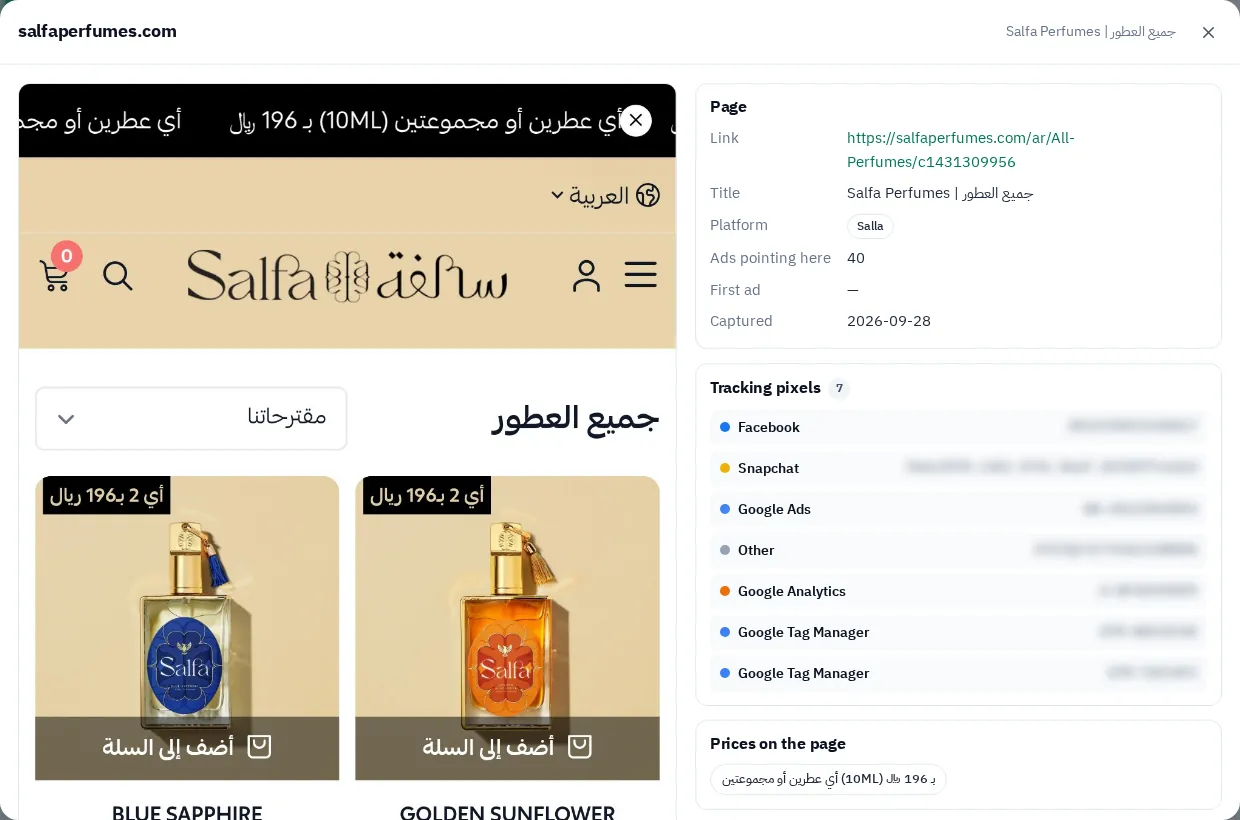
- GccFY: the store page window lists the tracking tools we found on the latest snapshot, next to the page itself.
What to do with this
- Know your competitor's channels: a Snapchat pixel on their store means you should follow their Snapchat ads, not only Meta. Read Snapchat ads.
- Prepare your store before advertising: connect the pixel of each platform you will use and check the purchase events.
- Do not overdo it: every pixel slows the page a little. Install the pixels of the platforms you actually use.
How we got these numbers
GccFY captures the store page every Arabic Gulf ad leads to and records the tracking tools on it. We took the latest snapshot of 30,000 store pages (the most recently captured) in October 2026 and counted the pages carrying each tool. The numbers are approximate: some stores load pixels only after the visitor interacts.